Blog Entry
Windows下使用Clion调试Redis
Windows下使用Clion调试Redis
- Created
- 2025/09/25
- Updated
- 2025/09/25
资料
流程
问题
主体流程参照使用CLion在Windows下调试Redis代码, 包括遇到的问题:
- 脚本无法执行:
/bin/sh^M: bad interpreter - 修复权限:
find . -name "*.sh" |xargs chmod a+xfind . -name "configure" |xargs chmod a+x- jemalloc, 是redis自己挖的坑,自己有
configure但是.gitignore给忽略掉, 转到自己的git项目的时候这个文件就没了
cd deps/jemalloc./autogen.sh配置
刚打开源码目录, 是没有显示Configurations的, 得先配置:
-
Build, Execution, Deployment->Toolchains(SSH远程)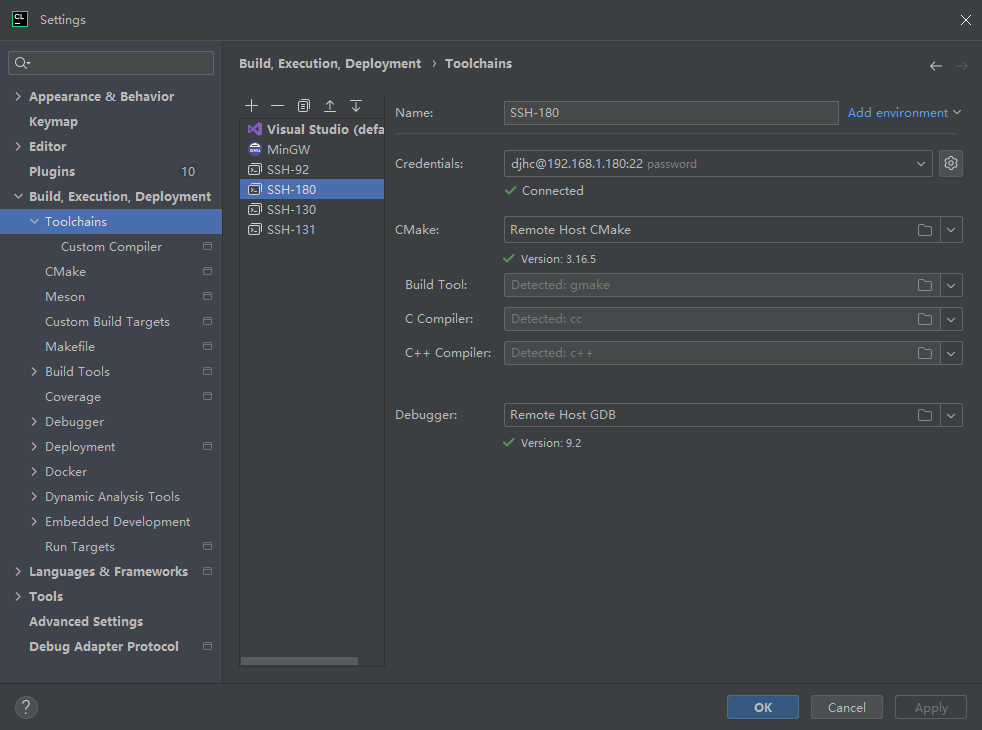
-
Build, Execution, Deployment->Makefile(redis没有CMake项目文件)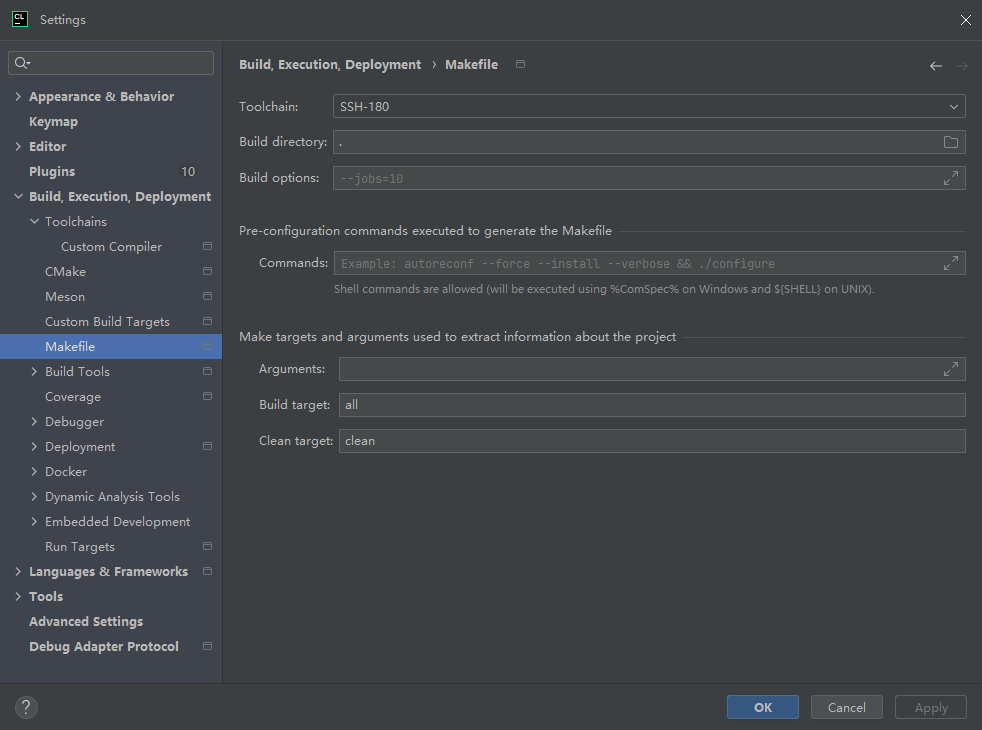
-
Build, Execution, Deployment->Deployment->SSH xxx->Mappings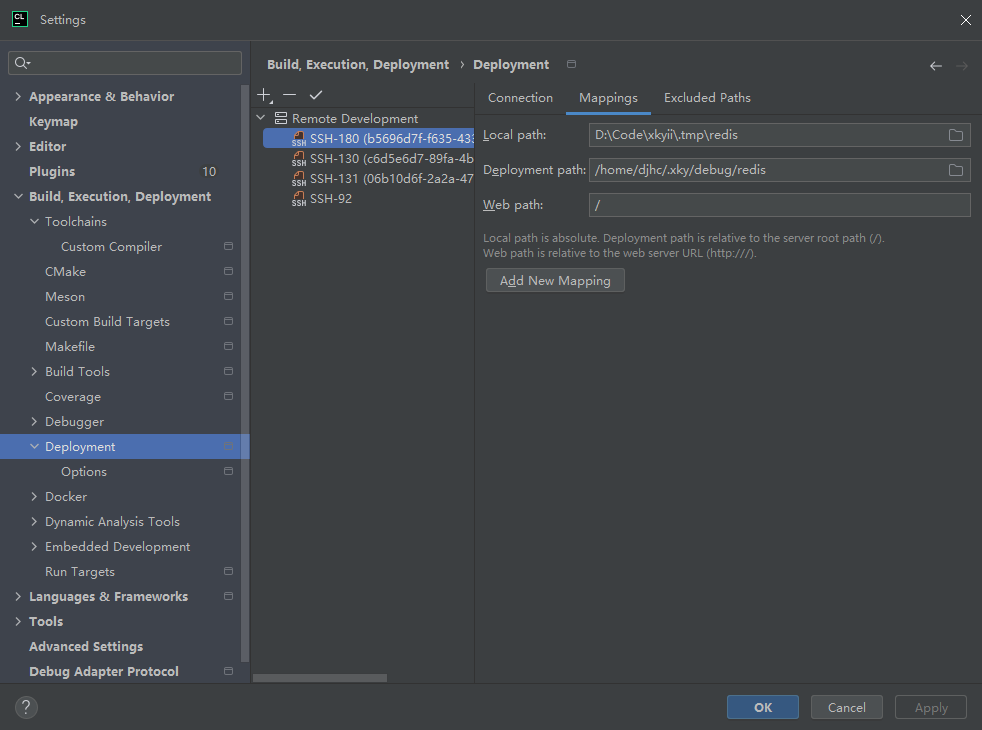
-
Sync Makefile Project(刷新一下)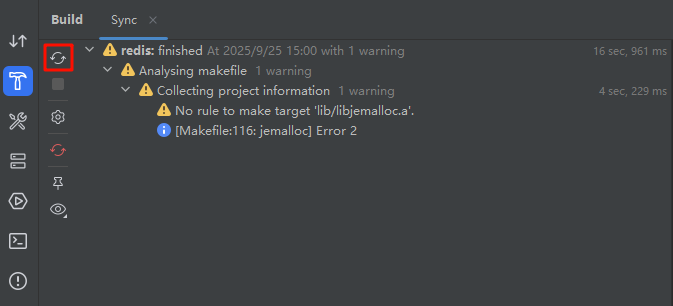
调试
- 依次跑一下
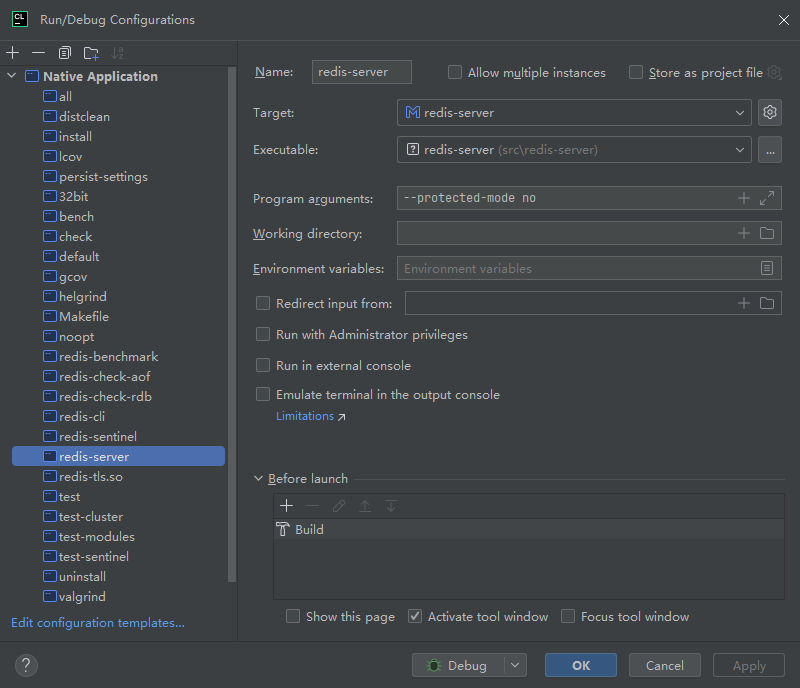
distclean和all - 选择
redis-server来调试, 远程调试需要加上--protected-mode no, 否则可能会拒绝连接 Executable手动填src/redis-server